
Funcionalidades
Plantillas
Fórmulas listas para los casos más comunes. Eliges los campos y la app crea el campo con la fórmula ya escrita.
Usar una plantilla
En la pestaña Templates, pulsa Use template en la que quieras. La ventana pide solo los campos que necesita (A, B) y propone un nombre. Al pulsar Create field se crea el campo con la fórmula guardada y se abre su ficha, lista para probar y definir el alcance.
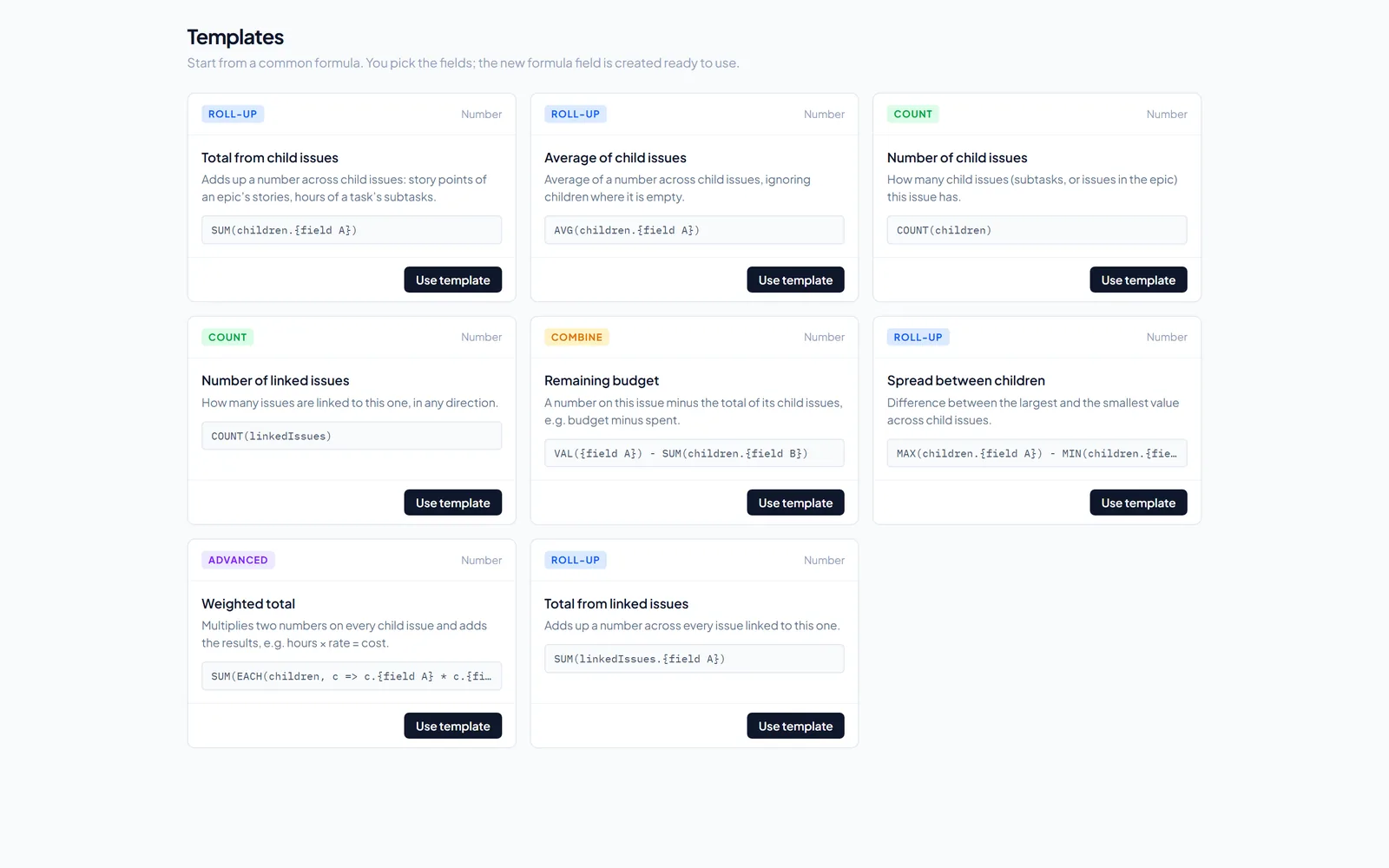
Plantillas disponibles
A y B son los campos que eliges al usar la plantilla.
| Plantilla | Qué calcula | Fórmula |
|---|---|---|
| Total from child issues | Suma un número de las hijas | SUM(children.A) |
| Average of child issues | Media de un número de las hijas, sin contar las vacías | AVG(children.A) |
| Spread between children | Diferencia entre el mayor y el menor valor de las hijas | MAX(children.A) - MIN(children.A) |
| Number of child issues | Cuántas hijas tiene la issue | COUNT(children) |
| Number of linked issues | Cuántas issues enlazadas tiene, en cualquier dirección | COUNT(linkedIssues) |
| Remaining budget | Un número de la issue menos el total de sus hijas | VAL(A) - SUM(children.B) |
| Weighted total | Multiplica dos números en cada hija y suma los resultados | SUM(EACH(children, c => c.A * c.B)) |
| Total from linked issues | Suma un número de las issues enlazadas | SUM(linkedIssues.A) |
Después de crearla
La fórmula de una plantilla es una fórmula normal: puedes editarla en el constructor como cualquier otra, por ejemplo para multiplicar el resultado por una variable de la Library.
Features
Templates
Ready-made formulas for the most common cases. You pick the fields and the app creates the field with the formula already written.
Use a template
In the Templates tab, click Use template on the one you want. The dialog only asks for the fields it needs (A, B) and suggests a name. Clicking Create field creates the field with the formula saved and opens it, ready to test and scope.
Available templates
A and B are the fields you pick when using the template.
| Template | What it calculates | Formula |
|---|---|---|
| Total from child issues | Adds up a number across child issues | SUM(children.A) |
| Average of child issues | Average of a number across children, skipping empty ones | AVG(children.A) |
| Spread between children | Difference between the largest and smallest child value | MAX(children.A) - MIN(children.A) |
| Number of child issues | How many children the issue has | COUNT(children) |
| Number of linked issues | How many issues are linked to it, in any direction | COUNT(linkedIssues) |
| Remaining budget | A number on the issue minus the total of its children | VAL(A) - SUM(children.B) |
| Weighted total | Multiplies two numbers on each child and adds the results | SUM(EACH(children, c => c.A * c.B)) |
| Total from linked issues | Adds up a number across linked issues | SUM(linkedIssues.A) |
After creating it
A template's formula is a regular formula: you can edit it in the builder like any other, for example to multiply the result by a Library variable.
¿No encuentras algo? Escríbenos aCan't find something? Write to contacto@fluxor-tech.com · Ver la ficha del productoSee the product page