
Primeros pasos
Tu primer campo
Crea un campo "Total de story points" para tus epics en tres minutos, desde una plantilla y sin escribir código.
Antes de empezar
Necesitas la app instalada (Instalación y acceso) y un epic con algunas historias que tengan story points. Lo usaremos para probar la fórmula.
1. Crea el campo desde una plantilla
- Abre la app y ve a la pestaña Templates.
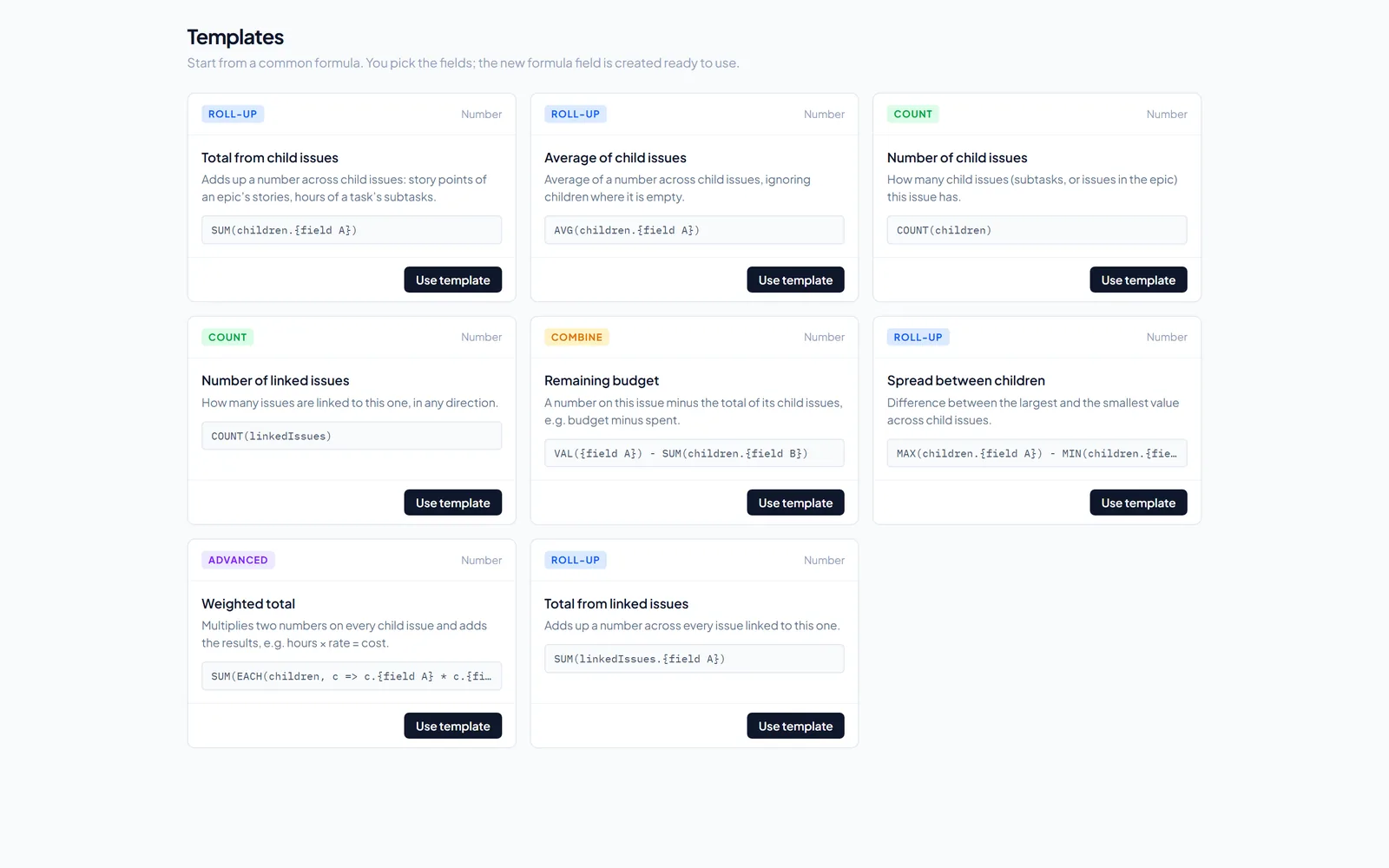
- En Total from child issues, pulsa Use template.
- En Number to add up, elige tu campo de story points. El nombre del campo se propone solo; cámbialo si quieres.
- Pulsa Create field. Se crea el campo en Jira y se abre con la fórmula ya guardada.
2. Pruébalo con un epic real
En la pestaña Formula, baja a Test formula, escribe la clave de tu epic y elígelo. Verás el resultado, cuántas hijas tiene y si todas tienen el campo. Nada se guarda en Jira durante la prueba.
3. Elige dónde aparece
En la pestaña Scope, crea un contexto con los proyectos y los tipos de issue donde debe verse el campo (por ejemplo, Epic en tus proyectos de desarrollo). Más en Alcance.
4. Calcula las issues que ya existen
Las issues antiguas no tienen valor hasta que algo cambia en ellas. En la pestaña Recompute, pulsa Analyze y después Recompute. Se hace en segundo plano. Más en Recálculo.
Listo
A partir de ahora el total se mantiene al día solo: cuando cambian los story points de una historia, o se añade o se quita una historia del epic, el valor se recalcula en segundos.
Siguiente paso
Prueba a escribir tu propia fórmula en el constructor o copia una de las recetas.
Getting started
Your first field
Create a "Total story points" field for your epics in three minutes, from a template and without writing code.
Before you start
You need the app installed (Installation and access) and an epic with a few stories that have story points. We'll use it to test the formula.
1. Create the field from a template
- Open the app and go to the Templates tab.
- On Total from child issues, click Use template.
- In Number to add up, pick your story points field. A field name is suggested; change it if you like.
- Click Create field. The field is created in Jira and opens with the formula already saved.
2. Test it on a real epic
In the Formula tab, scroll to Test formula, type your epic's key and pick it. You'll see the result, how many children it has and whether they all have the field. Nothing is saved to Jira during a test.
3. Choose where it appears
In the Scope tab, create a context with the projects and issue types where the field should show (for example, Epic in your delivery projects). More in Scope.
4. Calculate existing issues
Older issues have no value until something changes on them. In the Recompute tab, click Analyze and then Recompute. It runs in the background. More in Recompute.
Done
From now on the total keeps itself up to date: when a story's points change, or a story is added to or removed from the epic, the value recalculates within seconds.
¿No encuentras algo? Escríbenos aCan't find something? Write to contacto@fluxor-tech.com · Ver la ficha del productoSee the product page